
Turn Any Live Moment Into a Fundraising Moment
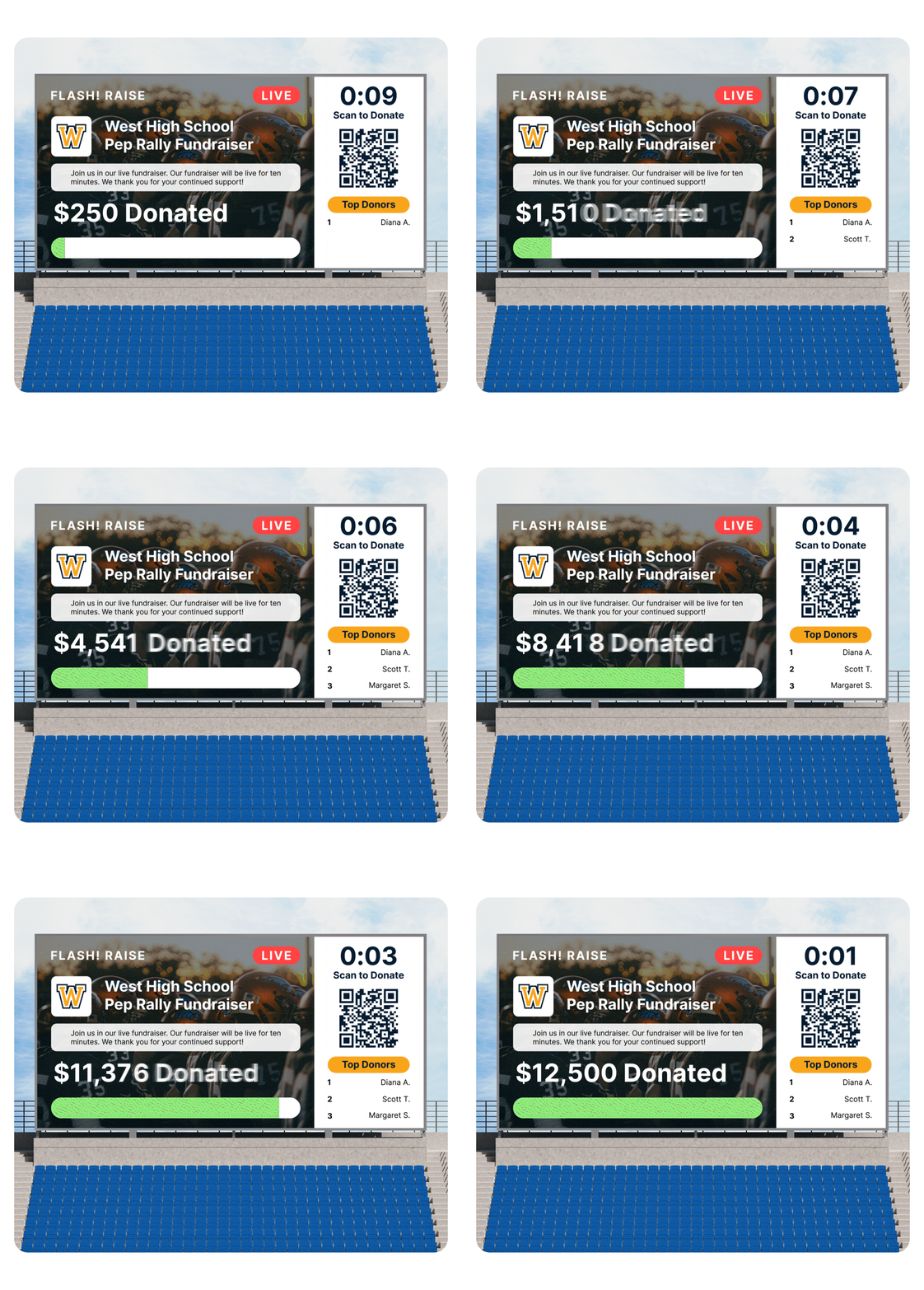
Supporters scan. Donations come in. Everyone watches the total climb in real time.

Start the Countdown. Watch the Momentum Build.
- Supporters scan a QR code to give instantly
- Donations and progress appear on the screen in real time
- Donors can leave comments and compete for top-donor status
- Every gift moves your group closer to its goal
Make the Most of the Moment
Use it during:
- Games and halftime events
- Pep rallies
- Senior nights
- Banquets and awards ceremonies
- Parent meetings
- Band, choir, dance performances
- Team, club or community gatherings

One Event or Part of a Bigger Campaign
Ready to Turn Your Next Event Into Something Bigger?
Tell us a little about your group. A Snap! Raise representative will help you explore how Flash! Raise can work for your program.
Frequently Asked Questions
Live event fundraising turns the energy of an in-person event into an
opportunity to raise money. With Flash! Raise, supporters scan a QR code
to donate and watch the group’s progress update on screen in real time.
Yes. Flash! Raise can run as a standalone fundraiser for a single event,
or it can be used alongside an active Snap! Raise campaign to reach more
supporters and build additional momentum.
Supporters scan the QR code displayed on the screen and give from their
phones. No app download is required. Donations and progress appear on
screen as gifts come in.
Flash! Raise can be used at games, halftime events, pep rallies, senior
nights, banquets, awards ceremonies, parent meetings, performances and
other team or community gatherings.
You can run a giving sprint for 10, 20 or 30 minutes, choose a custom
duration or create a longer standalone fundraiser based on your event
and fundraising goal.
All you need is a screen or TV to display the Flash! Raise experience and
QR code for your supporters.
No. Flash! Raise is included at no additional cost.
What is live event fundraising?
Can I use Flash! Raise without an existing campaign?
How do supporters donate during an event?
What types of events can use Flash! Raise?
How long can a Flash! Raise fundraiser run?
What do I need to use Flash! Raise?
Is there an additional cost to use Flash! Raise?